Discount Filters
How to replace a GE refrigerator water filter (MWF, XWFE, GSWF, MSWF)
09
May
May
GE refrigerator water filters are among the easiest to replace at home
GE designs their filters for quick, mess-free replacement without any tools. This guide walks you through replacing the four most common GE filters: MWF, XWFE, GSWF, and MSWF.
Find your GE filter
- GE MWF (SmartWater) — 2005–2015 models, upper interior
- GE XWFE — 2018+ models with RFID chip
- GE GSWF — older GE models, high 750-gallon capacity
- GE MSWF — select side-by-side models
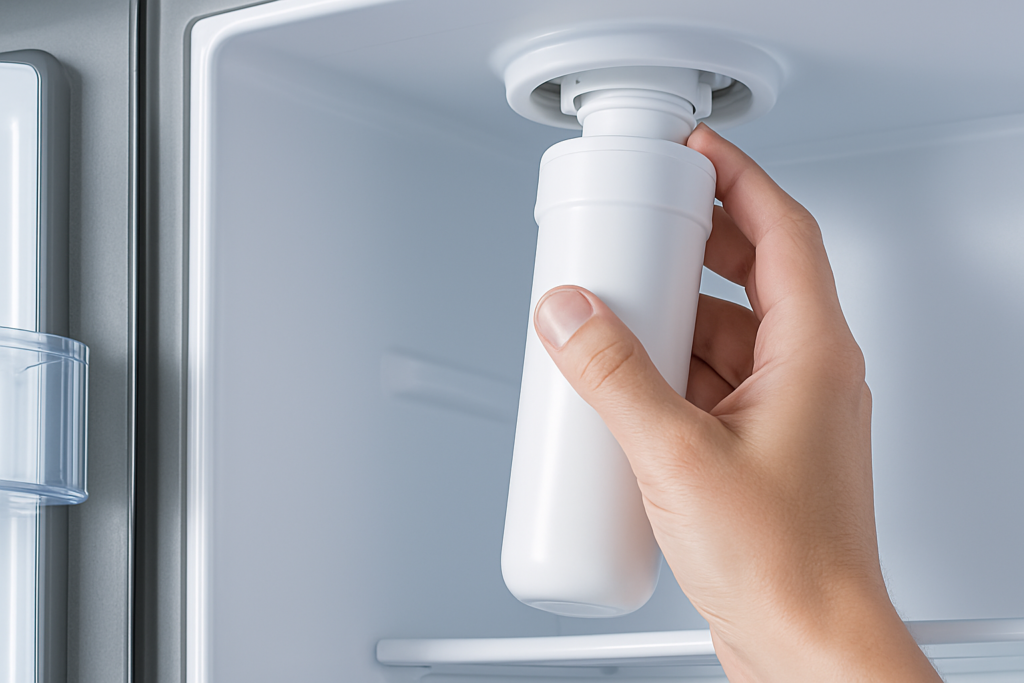
Replacing the GE MWF and XWFE (twist-in interior filters)
- Open the fridge and locate the filter in the upper-right corner.
- Push the button on the filter housing to release the filter, then pull straight out. On older models, twist counterclockwise instead.
- Insert the new filter straight into the housing and push until you hear a click, or twist clockwise until snug.
- Run 2 liters of water through the dispenser before drinking.
- Reset the filter indicator — on most GE models, press and hold the “Reset Filter” button on the dispenser panel for 3 seconds.
Important for XWFE: Only the genuine GE XWFE filter contains the RFID chip required by newer GE refrigerators. Third-party replacements without the chip will cause the fridge to report a filter error.
Replacing the GE GSWF
- Locate the filter in the upper-right interior compartment.
- Push the release button and pull the filter out.
- Insert the new GSWF filter and push until it clicks into place.
- Flush 3 liters of water through the dispenser before use.
- Reset the filter light — hold the reset button for 3 seconds on the display panel.
Replacing the GE MSWF
The MSWF is a twist-in filter located in the upper interior or bottom grille depending on model. Turn counterclockwise to remove, clockwise to install. Flush for 3 minutes before drinking.
Pro tips
- Always flush at least 2 liters after installing — carbon fines from a new filter are harmless but can make water appear grey or cloudy.
- GE recommends changing filters every 6 months. Mark your calendar or sign up for a reminder.
- If the filter indicator doesn’t reset, power-cycle the fridge by unplugging for 30 seconds, then retry.
Shop GE filters — free US shipping