May 9, 2026
How to replace an LG refrigerator water filter (LT700P, LT800P, LT1000P)

Quick answer: Replacing an LG refrigerator water filter takes a few minutes and no tools. The LT700P sits inside the fresh-food compartment, the LT800P on many models inside the left fridge door behind the lower door bin, and the LT1000P at the top of the compartment or in the left-door bin, depending on the model. Each one unlocks with a quarter turn counterclockwise and locks with a quarter turn clockwise. Flush at least 2.5 gallons of water after installation.
Before you start: find your filter model
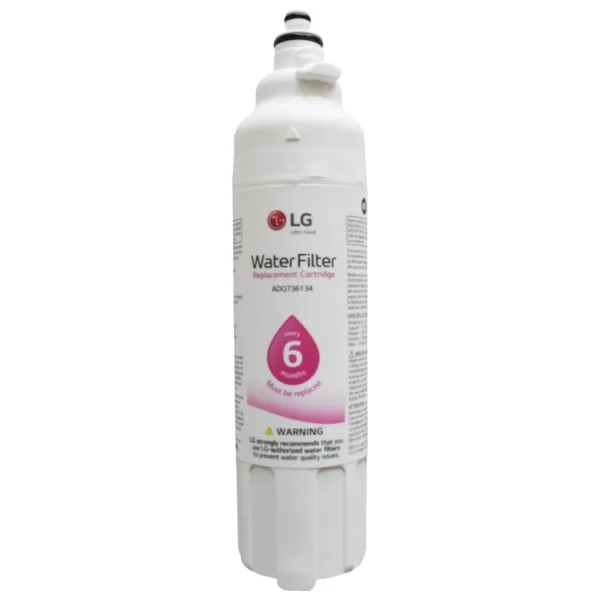
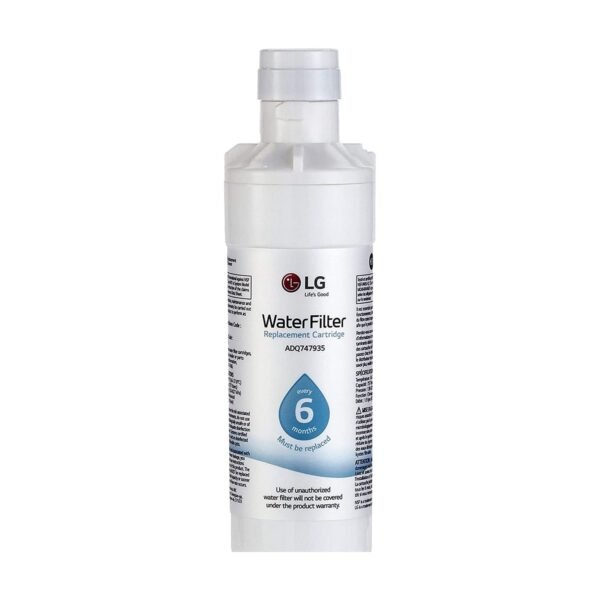
Check the part number printed on your current filter. We sell these three genuine LG filters:
- LG LT700P, many earlier French-door models
- LG LT800P, many French-door and 4-door models
- LG LT1000P, newer models including InstaView and Door-in-Door
The older LT500P is discontinued and not sold here.
How to replace the LT700P
- Locate the filter housing inside the fresh-food compartment. Your manual shows the exact spot.
- Turn the old filter counterclockwise about a quarter turn until it releases, then pull it out.
- Remove the protective cap from the new filter if present.
- Insert the new filter and turn it clockwise until it locks.
- Flush at least 2.5 gallons through the dispenser, then reset the filter indicator.
How to replace the LT800P
- Open the left fridge door and remove the lower door bin to reach the filter (on most French-door and 4-door models).
- Turn the old filter counterclockwise about a quarter turn and pull it out.
- Insert the new filter and turn it clockwise until it locks.
- Put the door bin back, flush at least 2.5 gallons through the dispenser, and reset the filter indicator.
How to replace the LT1000P
- Locate the filter at the top of the fresh-food compartment or in the left-door bin, depending on your model.
- Turn the old filter counterclockwise about a quarter turn and pull it down or out.
- Push the new filter into the housing and turn it clockwise until it locks.
- Flush at least 2.5 gallons through the dispenser, then reset the filter indicator.
Tips for a smooth installation
- The first water may look cloudy because of air bubbles and loose carbon. This clears as you flush.
- Replace the filter every 6 months or 200 gallons, whichever comes first.
- To reset the indicator, hold the Filter or Reset button for about 3 seconds (on some models, the Alarm button). Your manual has the exact button.
Shop genuine LG filters: free US shipping
Frequently asked questions
Do I need to turn off the water supply to replace an LG filter?
On most LG models, no: the housing closes when the filter is removed, so only a few drops escape. Keep a towel handy and check your manual if you are unsure.
Why is my water cloudy after installing a new LG filter?
Air bubbles and loose carbon from the new filter. Keep flushing (at least 2.5 gallons) and the water will run clear.
Can I drink the water right away?
Flush at least 2.5 gallons through the dispenser first, as described above.